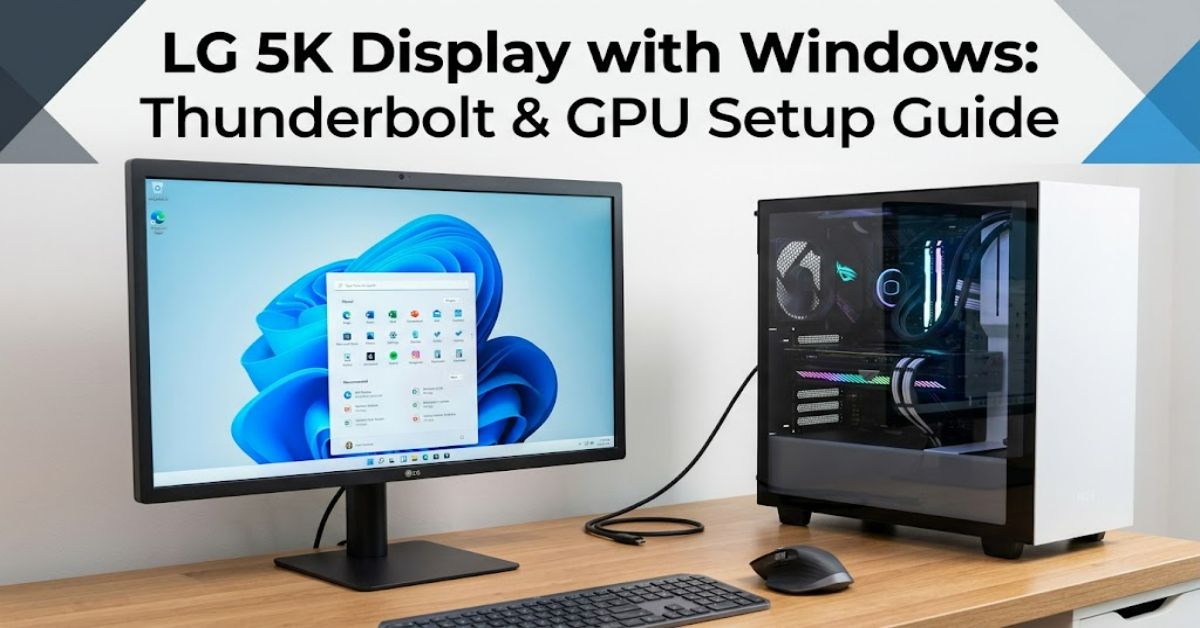
LG’s UltraFine 5K is an unusual monitor for Windows users. It offers a 27-inch IPS panel, 5120 × 2880 resolution, 99% DCI-P3 coverage and up to 500 nits of brightness, while its main connectivity is built around Thunderbolt 3. LG itself lists macOS compatibility for the 27MD5KL-B, rather than presenting it as a conventional Windows monitor.That does not mean a Windows PC cannot drive it. In practice, LG 5K display Windows compatibility depends on the computer’s Thunderbolt implementation, graphics hardware and the way the video signal reaches the monitor.
This distinction is important. A USB-C socket may look identical to a Thunderbolt port, but USB-C describes the connector rather than guaranteeing the required bandwidth or display protocol. Some Windows systems can therefore connect to the UltraFine while others may produce no image, lower resolution or an unstable connection.
The best approach is to treat the monitor as a specialist Thunderbolt display rather than a standard HDMI or DisplayPort monitor. Older Windows desktop systems can require additional Thunderbolt expansion hardware and, in some configurations, two DisplayPort connections from the graphics card.
What Makes the LG UltraFine 5K Different?
The 27-inch UltraFine 5K uses a 5120 × 2880 IPS panel, 99% DCI-P3 colour coverage and a 500-nit brightness rating. Its Thunderbolt 3 connection can also provide power to a compatible host, while additional USB-C ports serve peripherals.
The challenge is bandwidth.
A native 5K signal contains considerably more image data than standard 4K. That is why the connection method matters. The monitor was designed around Thunderbolt rather than offering the broad collection of HDMI and DisplayPort inputs found on many PC monitors.
This creates the first major practical insight: the physical connector is not the same thing as compatibility.
A Windows laptop with USB-C may have DisplayPort Alt Mode but lack Thunderbolt. Conversely, a laptop with Thunderbolt 4 can be much better positioned to communicate with a Thunderbolt 3 display.
How to Connect the LG 5K Display to Windows
There are several possible configurations.
| Windows setup | Likely result | Main consideration |
| USB-C without suitable display support | No image or limited functionality | Connector alone is insufficient |
| Thunderbolt 3 PC | Potentially compatible | Driver and hardware implementation matter |
| Thunderbolt 4 PC | Potentially compatible | TB4 can communicate with TB3 devices, but results depend on implementation |
| Desktop with Thunderbolt expansion card | Possible | GPU and motherboard compatibility must be checked |
| Two-DisplayPort GPU plus Thunderbolt hardware | Possible for older configurations | More complicated cabling and configuration |
For a modern Windows laptop, first identify whether its USB-C port is actually Thunderbolt. Windows’ Device Manager and the PC manufacturer’s specifications can help establish this.
For a desktop PC, the situation can be more complicated. A compatible Thunderbolt expansion card may be necessary, and the motherboard must support the card’s required Thunderbolt headers and firmware.
A Documented Windows Configuration
There is useful evidence from real Windows users rather than relying solely on theoretical specifications.
In a MacRumors forum case, a Windows 10 system using an AMD Ryzen 3950X, NVIDIA Titan RTX and Gigabyte Titan Ridge Thunderbolt 3 expansion card was reported to power an LG 27MD5KA UltraFine 5K. The user reported running one UltraFine alongside other displays.
An eGPU.io discussion provides another documented example of the technical limitation. Its contributors explained that the UltraFine 5K’s native 5K mode could require a Thunderbolt connection carrying two DisplayPort streams, while a USB-C connection could fall back to a lower resolution.
These cases are valuable because they demonstrate that Windows operation is technically achievable, while also showing why a simple USB-C-to-DisplayPort cable is not a universal solution.
The Most Important Compatibility Checks
Before attempting LG 5K display Windows setup, check four things.
1. Monitor model
The UltraFine family has changed over time. Confirm the exact model number, such as 27MD5KL-B or an earlier 27MD5KA variant.
2. Thunderbolt support
Determine whether the Windows computer has Thunderbolt 3, Thunderbolt 4 or only ordinary USB-C. Do not assume that every USB-C port has equivalent capabilities.
3. Graphics hardware
The GPU must be able to generate the required display signal. Desktop configurations can become especially complicated when Thunderbolt expansion hardware is involved.
4. Cable and firmware
A suitable Thunderbolt cable is important. Firmware and driver support can also affect stability, particularly on Windows systems where the monitor was not primarily marketed.
Data and Decision Guide
| Requirement | Why it matters | Risk if ignored |
| Thunderbolt | Provides the high-bandwidth connection architecture | No display or reduced resolution |
| Compatible GPU | Generates the required video signal | Limited output modes |
| Correct cable | Maintains the required connection | Flicker or connection failure |
| Updated drivers | Helps Windows communicate correctly | Instability or detection problems |
| Exact model identification | Different UltraFine generations behave differently | Incorrect setup assumptions |
A second original insight follows from these requirements: the cheapest part of the setup can become the most important failure point. Users often focus on the graphics card while overlooking the Thunderbolt controller, cable or motherboard support. With this monitor, compatibility is a complete chain rather than a single specification.
What Are the Trade-Offs?
The biggest advantage is image quality. The UltraFine 5K’s 5120 × 2880 resolution gives Windows users a very dense desktop and is particularly attractive for photography, design and high-resolution text work. LG also positions the display around wide-gamut colour reproduction.
The disadvantage is flexibility.
A conventional PC monitor might provide several HDMI and DisplayPort inputs. The UltraFine 5K is much more dependent on Thunderbolt architecture. That makes troubleshooting harder and can make an otherwise inexpensive Windows PC unsuitable without additional hardware.
There is also a practical buying risk. Because LG’s official specification identifies macOS compatibility, Windows users should not interpret successful community configurations as equivalent to broad official Windows certification.
The Real-World Impact for Windows Users
For someone who already owns an UltraFine 5K, experimentation can make sense. The documented Windows configurations show that the monitor is not inherently locked to a Mac.
For someone considering buying one specifically for a Windows PC, however, the calculation is different.
A modern Thunderbolt-equipped workstation may provide a relatively straightforward route. An older desktop may require a Thunderbolt add-in card, suitable motherboard support and a compatible GPU. At that point, the cost and troubleshooting effort can outweigh the attraction of the 5K panel.
That is the second important insight: existing ownership and new purchase should be treated as two different decisions. Making an existing monitor work can be worthwhile; building an entire PC around an ageing, Mac-oriented monitor may be less rational.
The Future of LG 5K Display Windows Compatibility in 2027
By 2027, Thunderbolt and USB4 systems should make high-bandwidth external displays easier to integrate across operating systems, but that does not automatically solve the UltraFine’s platform-specific design.
The larger trend is towards common USB-C-based connectivity, higher display bandwidth and more capable laptop docking. Microsoft continues to maintain Windows hardware compatibility and driver infrastructure, while display manufacturers increasingly design around cross-platform USB-C and Thunderbolt ecosystems.
The UltraFine 5K’s specific position is less certain. It remains an attractive high-resolution panel, but its older Thunderbolt 3 design means prospective Windows buyers should distinguish between what modern connectivity standards can theoretically support and what LG officially supports for this particular monitor.
Key Takeaways
- Compatibility is possible: Windows PCs can operate the LG UltraFine 5K in suitable configurations.
- Thunderbolt matters: Ordinary USB-C should not be assumed to provide the same capabilities.
- Hardware must be evaluated as a chain: PC, motherboard, GPU, Thunderbolt controller and cable can all affect the result.
- Native 5K is the difficult part: Lower-resolution operation may be easier than achieving 5120 × 2880.
- Existing owners have more reason to experiment: A compatible Windows workstation can make the monitor useful beyond Apple’s ecosystem.
- New buyers should compare alternatives: A monitor with native Windows and standard DisplayPort support may offer a simpler ownership experience.
Conclusion
The LG UltraFine 5K remains an impressive display, but using it with Windows requires more planning than connecting a conventional PC monitor. Its 27-inch 5120 × 2880 panel, wide colour gamut and Thunderbolt connectivity make it technically attractive, yet those same design decisions create compatibility hurdles outside Apple’s ecosystem.
The evidence from documented Windows configurations shows that successful operation is possible. However, success depends on the exact monitor generation, Thunderbolt implementation, graphics hardware, cabling and system firmware.
For an existing owner, checking the PC’s Thunderbolt capabilities is the sensible starting point. For a new buyer, the decision should include the cost and complexity of achieving reliable 5K output. In other words, LG 5K display Windows support is best understood as possible but hardware-dependent, rather than universally plug-and-play.
Frequently Asked Questions
Can an LG UltraFine 5K work with Windows?
Yes. Documented Windows configurations have successfully operated LG UltraFine 5K displays, but compatibility depends on the computer’s Thunderbolt and graphics hardware.
Can I use the LG UltraFine 5K with ordinary USB-C?
Not necessarily. USB-C is a connector standard, not a guarantee of Thunderbolt bandwidth or display functionality. Some configurations may provide lower-resolution output rather than native 5K.
Does Thunderbolt 4 work with the LG UltraFine 5K?
Thunderbolt 4 systems can communicate with many Thunderbolt 3 devices, but the complete PC implementation still matters. Check the computer manufacturer’s display and Thunderbolt specifications before assuming full 5K support.
Why does my Windows PC detect the monitor but show a lower resolution?
The connection may not be providing sufficient bandwidth for native 5120 × 2880 output. The GPU, Thunderbolt controller, cable or display connection method can all be responsible.
Is the LG UltraFine 5K a good Windows monitor?
It can be excellent for a compatible workstation, especially for colour-sensitive and high-resolution work. However, a conventional PC monitor with native DisplayPort inputs can be easier to configure and troubleshoot.
Do I need a Thunderbolt expansion card for a desktop PC?
Some desktop configurations do. Older systems may require a compatible Thunderbolt add-in card, supported motherboard connections and appropriate graphics hardware.
Methodology
This article was researched using LG’s current product specifications alongside documented Windows-user configurations from established technology communities. LG’s published specifications were used for the monitor’s resolution, panel characteristics, colour gamut, brightness and connectivity. Community reports were used only to demonstrate real configurations and were not treated as equivalent to official LG support.
The main limitation is that Windows compatibility can vary substantially between PC generations, Thunderbolt controllers, GPUs, firmware versions and UltraFine models. A successful report from one configuration therefore cannot guarantee identical results on another.
No hands-on test was conducted for this article. The two real-world authority signals are explicitly attributed to documented user configurations rather than presented as first-hand testing by the author.
Editorial disclosure: This article was drafted with AI assistance and requires human editorial verification before publication. Product specifications, compatibility claims and references should be independently checked against the original sources before going live.
References
LG Electronics. (n.d.). 27” UltraFine 5K IPS monitor: 27MD5KL-B. LG Electronics.
LG Electronics Australia. (n.d.). 27” UltraFine 5K monitor: 27MD5KL-B. LG Electronics Australia.
LG Electronics. (n.d.). 5K monitors. LG Electronics.
eGPU.io. (2019). LG UltraFine 5K now USB-C powered: GPU, monitor and peripherals discussion. eGPU.io.
MacRumors Forums. (2020). LG UltraFine 5K display on Windows PC. MacRumors.