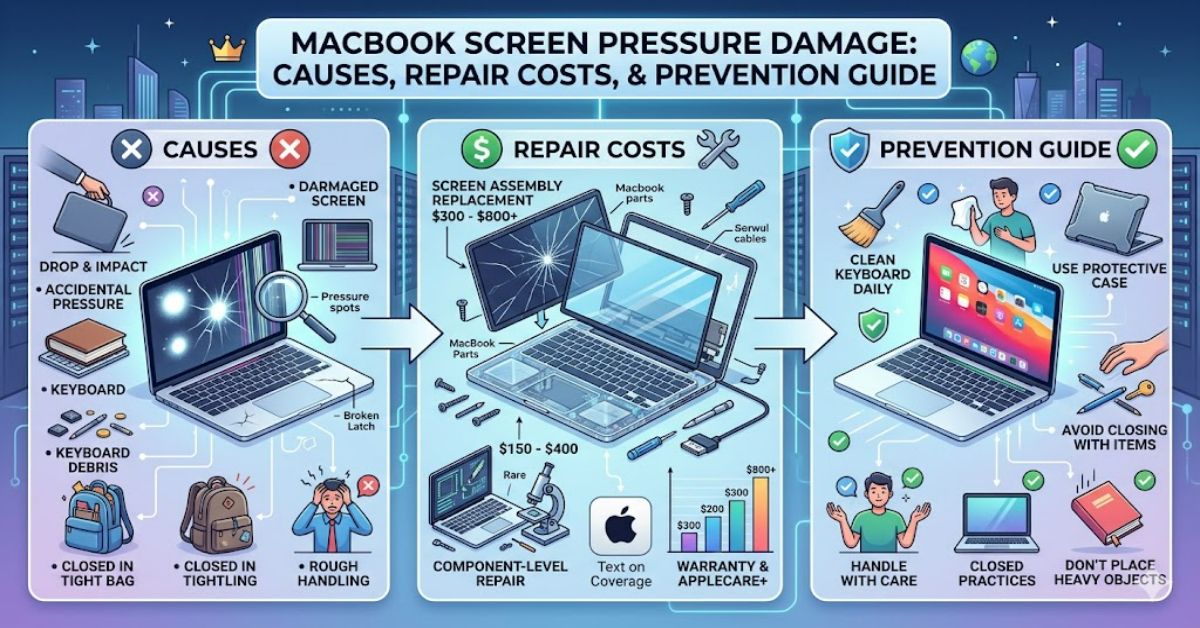
MacBook screen pressure damage occurs when external force is applied to the display assembly, damaging the internal LCD panel beneath the glass. Common causes include carrying a laptop inside an overpacked backpack, placing heavy objects on a closed MacBook, or accidentally applying pressure to the lid during transport. Once the liquid crystal layer is damaged, the display usually cannot be repaired through software fixes or simple adjustments. In most cases, a complete display assembly replacement is required.
The issue affects users across nearly every modern MacBook generation. Because Apple prioritises thin designs and minimal display bezels, screens have become lighter and slimmer, but they also have less tolerance for concentrated pressure points.
Many owners initially mistake the problem for graphics card failure, software glitches, or temporary display issues. However, pressure damage produces distinct symptoms that differ from software-related faults.
Understanding how this damage occurs, recognising the warning signs early, and knowing the available repair options can help MacBook owners make informed decisions before repair costs escalate.
What Is MacBook Screen Pressure Damage?
Pressure damage refers to physical harm inflicted on the display assembly through external force.
Unlike accidental drops, which often crack the outer glass, pressure damage frequently affects internal layers of the screen while leaving the exterior surface largely untouched.
The damaged components typically include:
- LCD panel
- Liquid crystal layer
- Backlight diffusion layers
- Internal display circuitry
Because these components are laminated together in modern MacBooks, repairs usually involve replacing the entire display assembly.
Common Symptoms
Users frequently report:
- Black spots spreading across the display
- Vertical or horizontal coloured lines
- Ink-like blotches
- Flickering sections
- Dead pixels
- Distorted image areas
- Bright pressure marks
These symptoms often worsen over time as the damaged liquid crystal layer continues to deteriorate.
How Pressure Damage Happens
Many owners are surprised by how little force is sometimes required to damage a modern MacBook display.
Tight Backpacks
One of the most common scenarios involves carrying a MacBook in a tightly packed backpack.
When books, chargers, water bottles, or other hard objects compress against the lid, concentrated pressure transfers directly to the display.
Objects Left on the Keyboard
Small objects trapped between the keyboard and screen can create pressure points when the laptop is closed.
Examples include:
- Earbuds
- USB adapters
- Pens
- Memory cards
Even thin objects can cause significant display damage.
Stacking Heavy Items
Placing textbooks, luggage, or other heavy objects on top of a closed MacBook can exceed the display’s structural tolerance.
Improper Storage
Storing a MacBook in crowded drawers, luggage compartments, or overfilled briefcases increases the likelihood of screen compression.
Pressure Damage vs Other Screen Problems
Many display issues appear similar at first glance.
The table below helps distinguish common MacBook screen failures.
| Issue | Typical Symptoms | Repair Requirement |
| Pressure Damage | Black spots, lines, LCD bleeding | Full display replacement |
| Dead Pixels | Tiny non-functioning pixels | Sometimes repairable |
| Flex Cable Failure | Flickering at certain angles | Cable or display repair |
| GPU Issue | System-wide graphical errors | Logic board diagnosis |
| Software Problem | Temporary display glitches | Software troubleshooting |
The distinction matters because software troubleshooting rarely resolves physical pressure damage.
Why Display Assemblies Usually Need Full Replacement
A common misconception is that damaged liquid crystals can somehow be restored.
They cannot.
The LCD layer contains microscopic liquid crystal structures permanently altered when sufficient force is applied.
Modern MacBook displays are highly integrated assemblies containing:
- LCD or Mini-LED panel
- Glass cover
- Backlight system
- Display controller components
- Housing assembly
Attempting partial repairs is generally impractical and often uneconomical.
For this reason, authorised repair providers typically replace the complete assembly.
Repair Costs and Financial Considerations
Repair costs vary depending on:
- MacBook model
- Screen technology
- Repair provider
- Warranty status
- Geographic location
Typical Cost Factors
| Factor | Impact on Cost |
| Retina Display | Higher replacement cost |
| Mini-LED Technology | Significantly higher cost |
| AppleCare+ Coverage | Reduced accidental damage fee |
| Out-of-Warranty Repair | Full replacement pricing |
| Third-Party Repair | Potential cost savings |
For recent MacBook Pro models with advanced display technologies, screen replacement frequently represents one of the most expensive repairs outside logic board replacement.
Hidden Cost Insight
One overlooked consideration is downtime.
For students, freelancers, and remote workers, losing access to a primary computer can create productivity costs that exceed the repair bill itself.
Maintaining reliable backups and temporary device access plans can mitigate this risk.
Three Important Insights Many Repair Guides Miss
1. Pressure Damage Often Develops Gradually
Users sometimes notice a small dark spot and continue using the device.
Over days or weeks, the affected area can expand as damaged liquid crystal regions spread.
Early assessment helps avoid surprises.
2. Protective Cases Are Not Always Protective
Hard-shell cases may protect against scratches but do not necessarily prevent compression damage.
A rigid case cannot eliminate pressure transferred through a heavily loaded backpack.
3. Travel Habits Matter More Than Screen Strength
Many owners focus on screen protectors.
In reality, transportation practices often have a greater influence on preventing damage than aftermarket accessories.
A properly padded laptop compartment typically provides more protection than a display film.
Practical Prevention Strategies
Preventing pressure-related damage is considerably cheaper than repairing it.
Use a Dedicated Laptop Sleeve
A padded sleeve distributes force more evenly and reduces localised pressure points.
Avoid Overpacking Bags
Leave sufficient space around the laptop compartment.
Overfilled bags create compression risks.
Check Before Closing the Lid
Always ensure no foreign objects remain on the keyboard deck.
Store Flat When Possible
Avoid storing a MacBook beneath heavy equipment or stacked items.
Handle With Two Hands
Reducing chassis flex can help minimise stress on the display assembly during transport.
Real-World Usage Patterns Behind Most Cases
Repair technicians frequently identify recurring patterns among pressure damage cases:
- University students carrying overloaded backpacks
- Business travellers packing laptops in tightly filled luggage
- Remote workers storing devices beneath paperwork or equipment
- Users leaving charging cables or accessories on the keyboard before closing the lid
The common theme is not manufacturing defects but external mechanical stress.
The Future of MacBook Screen Protection in 2027
By 2027, display durability may improve through several developments.
Stronger Materials
Manufacturers continue investing in more resilient display materials and thinner yet stronger structural components.
Improved Internal Reinforcement
Future display assemblies may incorporate better load distribution systems that reduce sensitivity to concentrated pressure.
Advanced Display Technologies
Emerging display architectures could offer improved resilience compared with traditional LCD-based designs.
Persistent Constraints
Despite engineering improvements, manufacturers will continue balancing durability against weight, battery life, and portability requirements.
As a result, user handling practices are likely to remain an important factor in preventing screen damage.
Key Takeaways
- Pressure damage usually affects the internal LCD layer rather than the outer glass.
- Black spots, coloured lines, and LCD bleeding are common warning signs.
- Most cases require complete display assembly replacement.
- Backpack compression remains one of the leading causes.
- Small objects trapped between keyboard and screen can create severe pressure points.
- Prevention costs far less than display replacement.
- Proper storage habits remain the most effective defence.
Conclusion
MacBook screen pressure damage is one of the most frustrating hardware failures because it often occurs during ordinary daily use. A laptop may never be dropped, exposed to liquid, or mishandled, yet sustained pressure from packed bags, stacked objects, or trapped accessories can still damage the display.
The challenge stems from the highly integrated nature of modern MacBook screens. Once the LCD layer has been compromised, repair options are limited and usually involve replacing the entire display assembly. This makes prevention particularly important.
Understanding the symptoms early can help owners avoid unnecessary troubleshooting and seek appropriate repair advice more quickly. More importantly, adopting better transport and storage habits can significantly reduce the likelihood of experiencing this type of failure.
For most users, a quality sleeve, sensible packing practices, and regular checks before closing the lid remain the most effective protection against costly display damage.
Frequently Asked Questions
Can MacBook screen pressure damage spread over time?
Yes. Small dark areas or LCD bleeding can expand as damaged liquid crystal regions deteriorate further.
Does AppleCare+ cover pressure damage?
AppleCare+ may provide accidental damage coverage subject to applicable service fees and policy terms. Coverage depends on the specific plan and region.
Can pressure marks be fixed without replacing the screen?
In most cases, no. Physical LCD damage generally requires display assembly replacement.
What does MacBook LCD bleeding look like?
It often appears as dark ink-like spots, cloudy patches, or spreading black regions beneath the display surface.
Can a screen protector prevent pressure damage?
Screen protectors primarily guard against scratches. They offer limited protection against compression-related LCD damage.
Is pressure damage considered a manufacturing defect?
Not usually. Most cases result from external force rather than component defects.
Methodology
This article was prepared using publicly available manufacturer documentation, repair-industry guidance, display technology resources, and consumer support materials relating to LCD damage and laptop display assemblies.
The analysis focuses on common failure patterns, repair considerations, and preventative practices. Costs and repair outcomes may vary depending on device generation, region, repair provider, and warranty status.
Human editorial verification should be completed before publication, including validation of all references and current repair policies.
Editorial Disclosure: This article was drafted with AI assistance and should undergo human editorial review prior to publication.
References
Apple. (2025). Mac service and repair information. Apple Support.
Apple. (2025). AppleCare+ terms and conditions. Apple Support.
iFixit. (2025). MacBook display repair guides. iFixit.
Consumer Reports. (2024). Laptop durability and repair considerations. Consumer Reports.
Right to Repair Europe. (2024). Repairability and consumer electronics reports. Right to Repair Europe.