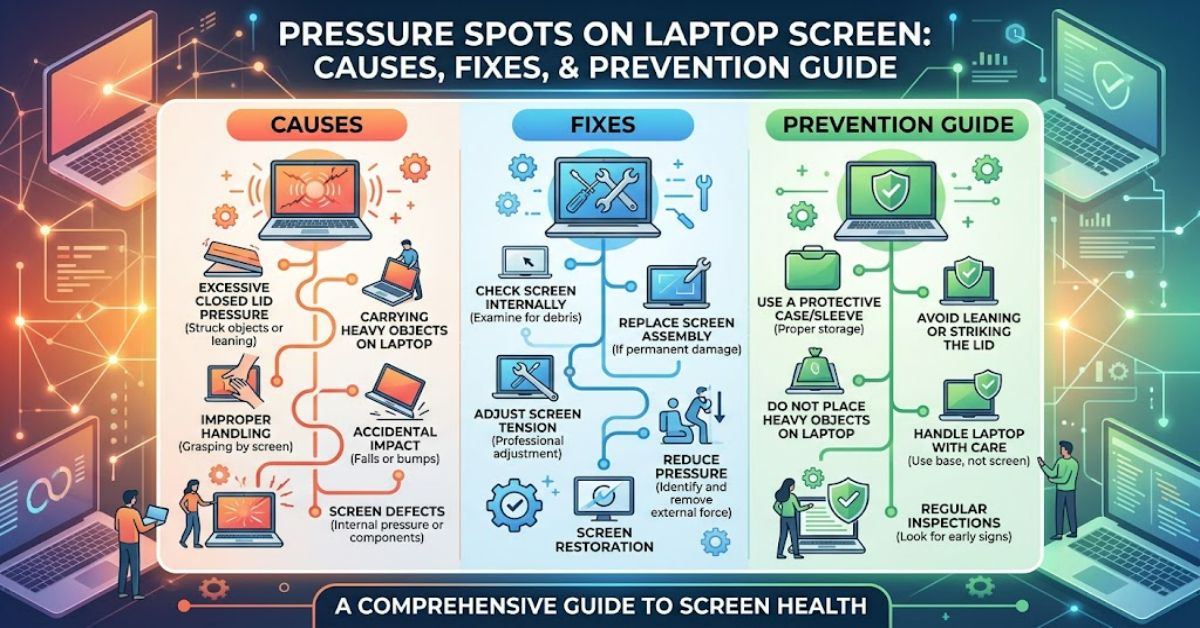
A laptop screen is designed to handle everyday use, but its internal display layers are extremely sensitive to uneven pressure. Pressure spots on laptop screen panels often appear as dark bruises, white areas, glowing patches, or distorted sections that remain visible regardless of what is displayed.
These marks usually happen when physical force damages the liquid crystal display (LCD) structure. Common causes include closing the lid with objects such as pens, USB drives, or earbuds left on the keyboard, or squeezing a laptop tightly inside an overloaded bag.
Unlike software glitches, pressure damage is a physical defect. Adjusting brightness, updating drivers, or restarting the device will rarely solve the issue because the problem exists within the display hardware itself.
Understanding how these marks develop helps users decide whether repair is possible, whether replacement is necessary, and how to protect future devices.
What Causes Pressure Damage on Laptop Displays?
Modern laptop screens contain several thin layers, including polarising filters, liquid crystals, colour filters, and a backlight system. These components work together to create the image users see.
When excessive force is applied, the internal layers can become permanently distorted.
| Cause | How It Damages the Screen |
| Object left on keyboard | Creates concentrated pressure points when lid closes |
| Heavy items in laptop bag | Bends the display assembly |
| Pressing the screen surface | Damages LCD alignment |
| Dropping the laptop | Creates impact stress |
| Manufacturing weakness | May increase vulnerability |
A common misconception is that pressure spots are caused by pixels “burning out”. In reality, most cases involve physical disruption of the liquid crystal layer or backlight diffusion system.
How to Identify Different Types of Screen Pressure Marks
Not every unusual display mark has the same cause. Identifying the appearance can help determine the severity.
| Appearance | Likely Issue | Repair Possibility |
| Dark circular patches | LCD layer compression | Usually requires screen replacement |
| Bright white areas | Backlight diffusion damage | Panel replacement often needed |
| Coloured distortions | Internal layer misalignment | Replacement recommended |
| Temporary marks after pressing | Minor pressure effect | May disappear |
Pressure damage can sometimes appear gradually. A laptop may work normally after an impact, but marks can become more noticeable as the display layers continue to separate.
Can Pressure Spots Be Repaired?
In most cases, physical LCD damage cannot be repaired at home. The display panel is manufactured as a sealed unit, meaning technicians usually replace the entire screen rather than individual layers.
Some online advice suggests rubbing affected areas or applying heat. These methods are risky because additional pressure or heat can worsen the damage.
Professional repair depends on the laptop model. For premium devices with high-resolution OLED or specialised displays, replacement costs can be significant.
A basic comparison:
| Repair Option | Cost Level | Reliability |
| DIY pressure techniques | Low | Poor and risky |
| Professional diagnosis | Medium | Useful for confirmation |
| Screen replacement | High | Most reliable solution |
The practical decision often depends on the laptop’s age and replacement value. A three-year-old premium laptop may justify repair, while an older budget device may not.
The Real-World Impact of Damaged Laptop Screens
Laptop displays are now central to education, remote work, creative industries, and business operations. A damaged screen can affect productivity, especially for professionals who rely on accurate colour reproduction.
For designers, photographers, and video editors, even small display inconsistencies can affect workflow. A bright patch or distorted colour area may lead to inaccurate editing decisions.
The rise of thinner laptops has also created new challenges. Modern designs prioritise portability, but reduced thickness can leave less physical protection between the display panel and external pressure.
Three Practical Ways to Prevent Screen Pressure Damage
1. Check the keyboard before closing the lid
Small objects create concentrated pressure. Removing chargers, pens, headphones, and other items before closing prevents many accidents.
2. Use a protective laptop sleeve
A quality sleeve reduces bending forces when a laptop is carried in a backpack or work bag.
3. Avoid placing weight on a closed laptop
Using a laptop as a temporary surface for books or other objects can slowly stress the display assembly.
The Future of Laptop Screens in 2027
Laptop manufacturers are continuing to improve display durability through stronger materials, improved hinges, and advanced screen technologies.
OLED and mini-LED panels are becoming more common, offering better contrast and image quality. However, these technologies remain sensitive to physical damage because thin display structures still require delicate internal components.
By 2027, manufacturers are likely to focus more on impact resistance and flexible display protection. However, preventing physical damage will remain essential because even advanced panels cannot completely eliminate risks caused by excessive pressure.
Future improvements may include stronger protective layers, improved hinge designs, and better shock absorption inside laptop chassis.
Key Takeaways
- Pressure marks usually result from physical stress rather than software problems.
- LCD layers are extremely delicate and can suffer permanent damage from small objects.
- Screen replacement is usually the only reliable repair.
- Thin laptop designs improve portability but may increase vulnerability.
- Proper storage and handling significantly reduce the risk of display damage.
Conclusion
Pressure spots on laptop screen panels are a frustrating but common hardware problem. They are usually caused by physical pressure affecting the internal LCD structure, whether from objects trapped during closing, heavy bags, or accidental impacts.
While software solutions cannot repair damaged display layers, early identification can help users avoid worsening the problem. In many cases, prevention remains the most effective strategy.
As laptop technology continues developing, manufacturers are improving screen durability, but users will still need to handle devices carefully. A protective case, careful storage habits, and awareness of common causes can extend the life of a laptop display and prevent unnecessary repair costs.
Frequently Asked Questions
Are pressure spots on a laptop screen permanent?
Most pressure marks are permanent because they involve physical damage to internal display layers. Screen replacement is usually required.
Can pressing a laptop screen cause damage?
Yes. Applying force directly to the display can distort LCD layers and create visible marks.
Why does my laptop screen have white patches?
White patches often indicate pressure damage affecting the backlight diffusion layers behind the LCD panel.
Can software fix laptop screen pressure marks?
No. Drivers, updates, and settings changes cannot repair physical damage inside the display.
How can I stop laptop screen damage in a bag?
Use a protective sleeve, avoid overpacking your bag, and prevent heavy objects from pressing against the laptop.
Methodology
This article was created using publicly available technical information about LCD display construction, laptop repair practices, and manufacturer guidance on device handling. Information was reviewed using general hardware repair principles and established display technology documentation.
The analysis has limitations because exact repair costs and failure rates vary between laptop brands, models, and screen technologies. Individual damage assessment should be performed by a qualified technician when replacement decisions involve expensive devices.
References
Display Technology Research. (2023). Advances in LCD and OLED display durability. Display Industry Technical Review.
International Electrotechnical Commission. (2022). Electronic display performance and reliability standards. IEC Publications.
Microsoft. (2024). Device care and maintenance guidance for portable computers. Microsoft Support.